
Windows 11 setup
- 1. Open Settings → Time & language → Language & region.
- 2. Select Add a language, search for Punjabi, and install Punjabi (India).
- 3. Open Punjabi Language options. Under Keyboards, select Add a keyboard and choose the Punjabi keyboard required for your test.
- 4. Press Windows key + Space to switch from English to Punjabi. The active language also appears in the taskbar.
- 5. Open Microsoft Word and select Raavi from the font list before typing.
Windows 10 setup
- 1. Open Settings → Time & Language → Language.
- 2. Select Add a preferred language, choose Punjabi, and complete the installation.
- 3. Open Punjabi Options, add the Punjabi keyboard, and use Windows key + Space to select it.
- 4. In Microsoft Word, choose the Raavi font and begin typing.
Legacy Windows 7 Control Panel method
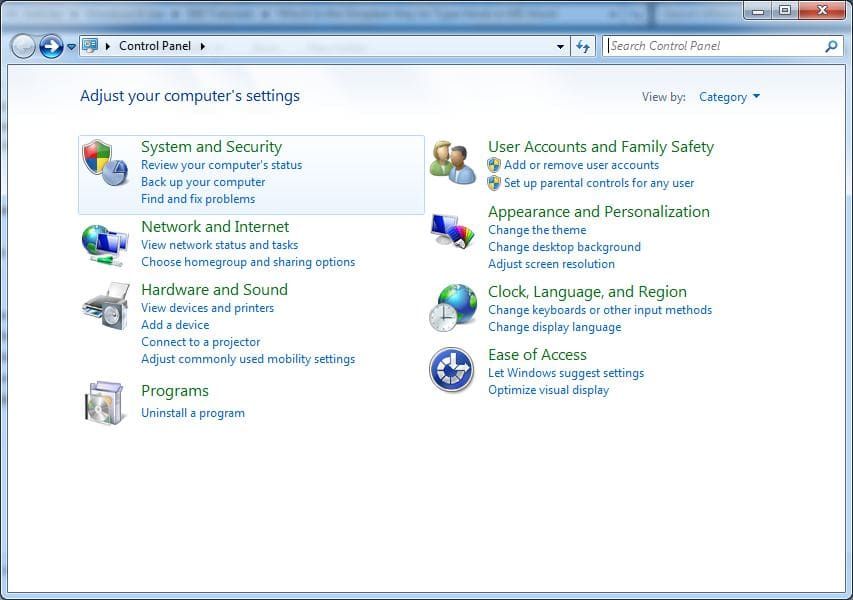
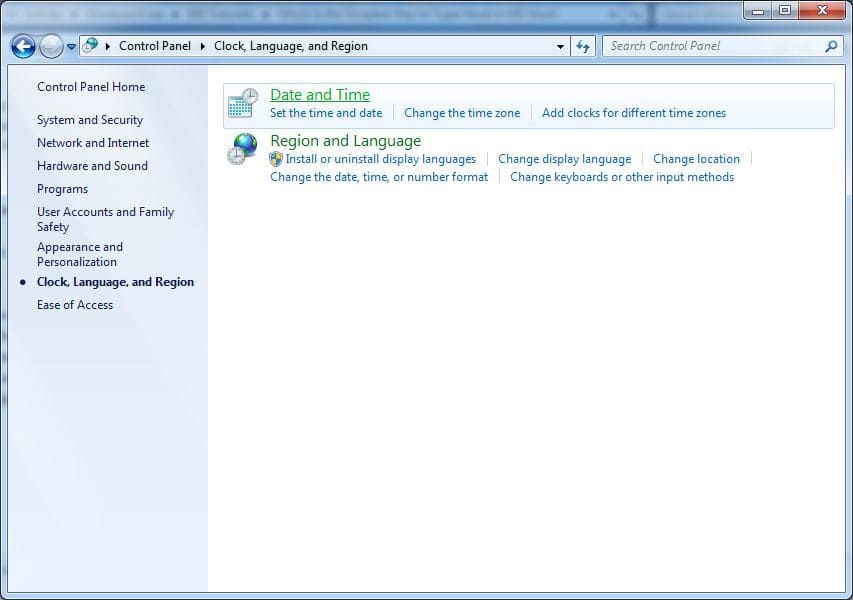
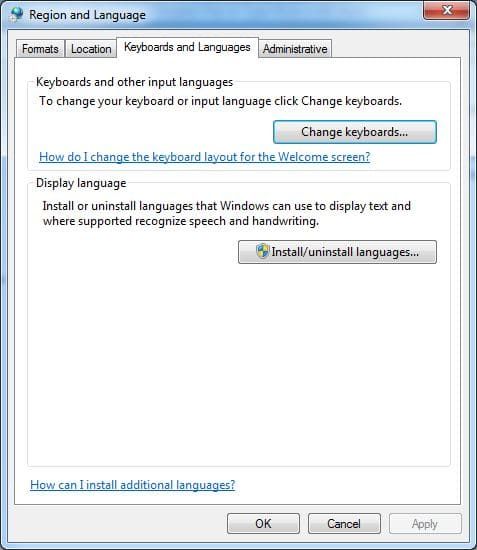
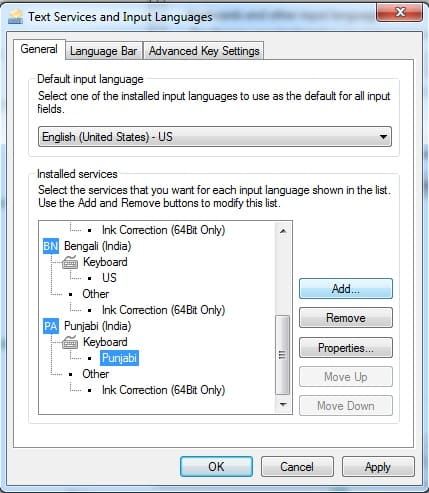
Use these screenshots only on older Windows versions that still show the Region and Language Control Panel.
- 1
Go to the Control Panel → Clock, Language, and Region → Region and Language.
- 2
On the opened window, go to the Keyboards and Languages tab.
- 3
In Keyboards and other input languages section, click Change keyboards button.
- 4
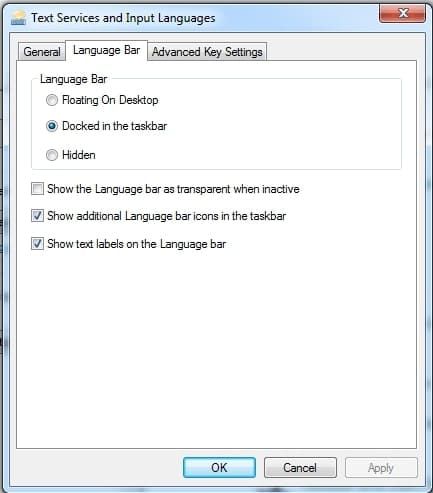
On the opened Text Services and Input Languages box, modify the priority of the available languages as required.
- 5
Click language bar TAB and click docked in the taskbar.
- 6
Click OK on all the opened boxes and windows to save the modifications.
- 7
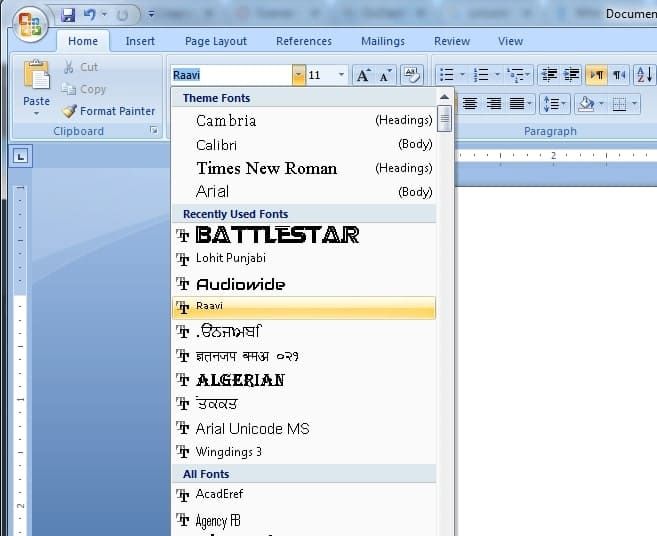
Open MS-Word and select Raavi from Font List.
- 8
Click on EN on right bottom of taskbar and select Punjabi.
- 9
Now type in MS-Word.
Frequently Asked Questions
What is Punjabi Raavi Unicode font?
Raavi is a Unicode Punjabi font officially used for Punjabi typing in Windows, government offices and exams.
Is Raavi font already installed in Windows?
Raavi is normally available with modern Windows language support. If it does not appear in Word, install the font manually after adding Punjabi in Windows Settings.
How do I use Raavi font in MS Word?
Add Punjabi under Windows Language settings, switch keyboards with Windows key + Space, and then select Raavi in Word.
Which keyboard is used for Punjabi Raavi typing?
Punjabi Raavi typing uses the Punjabi (India) keyboard layout available in Windows language settings.
Try Trial Version for Free of Typing Tutor Now!!
Need help with installation?
Contact us at info@typingguru.in or call 6280348419